

The Passo Muazz, above Lago di Luzzone, offers a break from the traffic – with plenty of bends and a bit of gravel.

1 day ago
The Glas Pass | 1,846 metres – bends, bends, tranquillity and good food.
1 week ago
The Passo del Valparola | 2,192 metres: bizarre, charming, winding, picturesque, steeped in history …
2 weeks ago



Anzeige

Anzeige

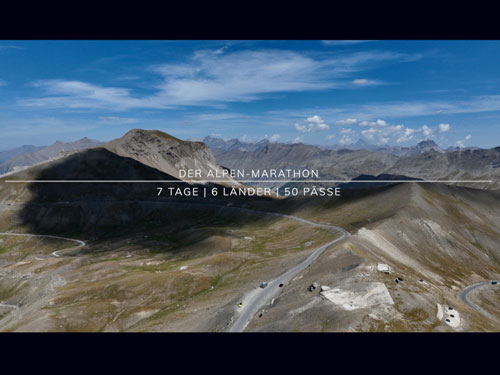
Alpen-Marathon “7 | 6 | 50” - Create an Alpine passes tour, take part in the challenge or order an Alpine map



 575 Alpine passes: Info, videos, hotels ...
The interactive “Alpenpässe-Atlas” route planner
updated on: 13.09.2026
Select day tours via our “Touring Network” (roadmaps, GPX data, tour link) and purchase them through the online shop.
Create tours, share them, generate roadbooks and download GPS data – that is what the interactive “Alpenpässe-Atlas” route planner is for.
Here’s how it works:
Create tours, share them, generate roadbooks and download GPS data – that is what the interactive “Alpenpässe-Atlas” route planner is for.
Here’s how it works:
- Click on an Alpine pass, hotel, town and/or POI to create a route. The selected passes are listed. Tip: the “cards” can be repositioned within the tour by drag and drop.
- View the 3D display via the “Compass” icon at the top right of the Alpine map, either in “Alpine Marathon” look or in “Earth View” (the “Layer” icon)
- Switch from “Car” to “Bike” routes (the “Car/Bike” icon). Some legal “off-road sections” can be displayed very well this way.
- You can share a tour via link – without registration – or copy the link (the “Tour” button).
- You can generate a roadbook for every tour (the “Roadbook” button). This may take a few seconds.
- You can download the GPS data for every tour (sat-nav, app …). Or: use 1-click integration to start the tour directly in Google Maps.
- Tutorials
GPS data: The current tour can be downloaded as a GPX file ("waypoints" in order and "track"). Use: navigation devices and apps.
Google Maps: Import the tour into Google Maps (smartphone) and start the tour. Google Maps can integrate a maximum of 10 "waypoints". Longer tours are therefore divided by splitters.
Tip: If Google Maps cannot determine the exact location of the smartphone, select "Add stop" and enter the current location as the start.
Google Maps: Import the tour into Google Maps (smartphone) and start the tour. Google Maps can integrate a maximum of 10 "waypoints". Longer tours are therefore divided by splitters.
Tip: If Google Maps cannot determine the exact location of the smartphone, select "Add stop" and enter the current location as the start.


INFO, TIPS AND KNOWLEDGE ABOUT A GREAT PASSION: TOURING THE ALPS -
FROM ENTERTAINMENT TO TOUR PLANNING:







Anzeige
Anzeige









 Subscribe to Newsletter